How to Delete Your Brew’d Account
Last Updated: February 24, 2026
At Brew’d, we believe you should always have full control over your personal data. You may request the permanent deletion of your account at any time through the Brew’d application.
Deleting your account will permanently remove your access and associated personal data from our systems, subject to the conditions described below.
How to Delete Your Account:
Open Brew'd App and go to profile
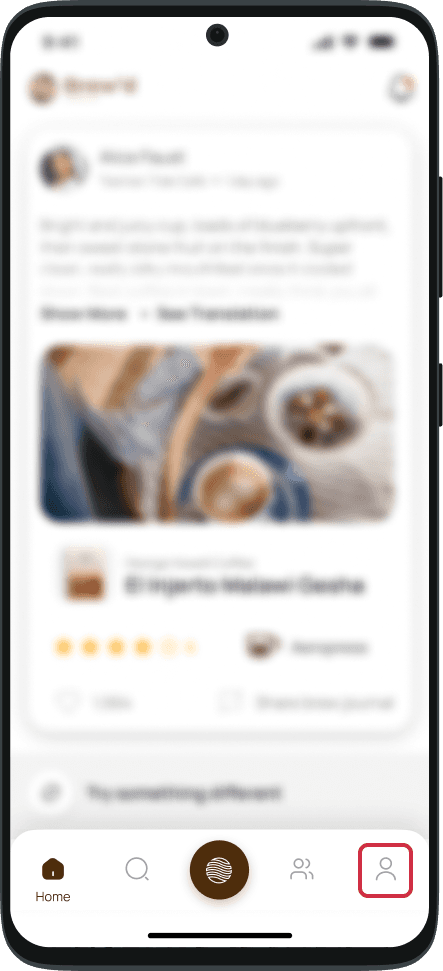
Go to Setting
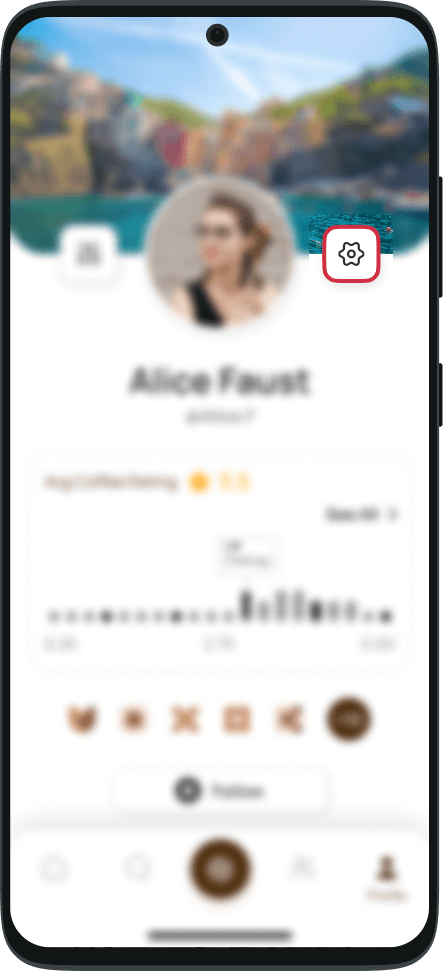
Select Delete Account
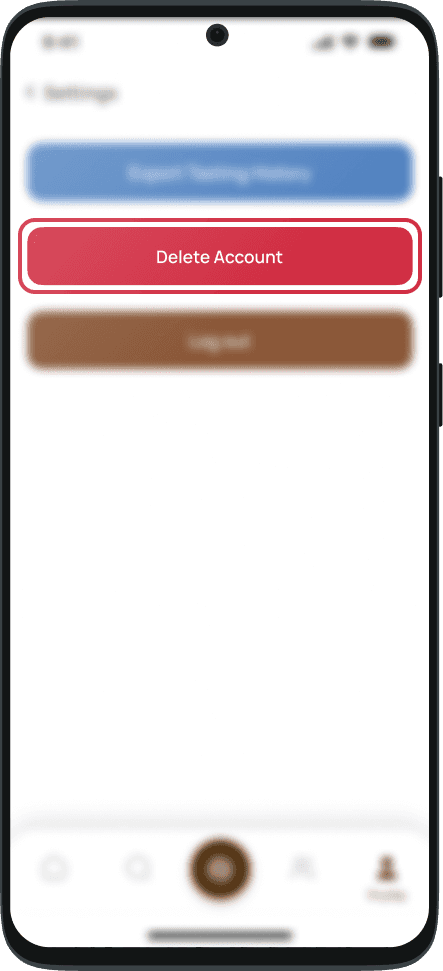
Confirm Your Request
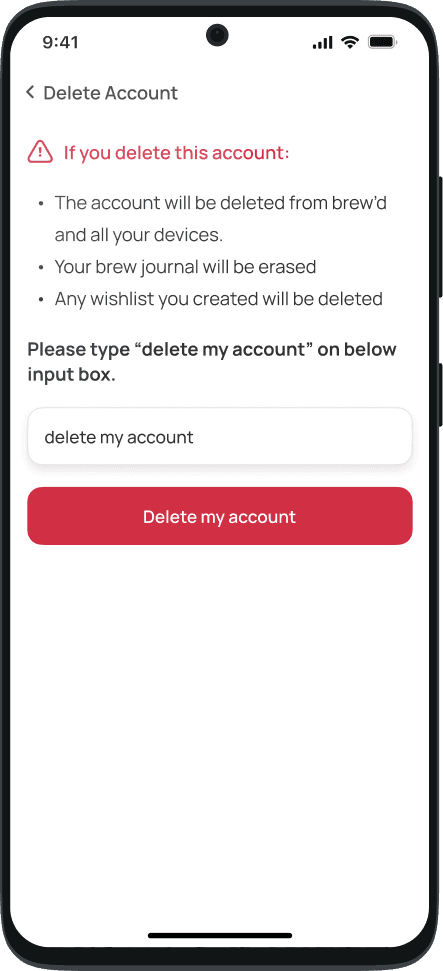
What Happens After Deletion
When your account is permanently deleted:
Your profile information will be removed from our active systems
Your coffee journal entries and personal logs will be permanently deleted
Saved coffee preferences and history will be erased
Your access credentials will be invalidated
Personally identifiable information associated with your account will be removed or anonymized
Please note that account deletion is irreversible. Once completed, your account cannot be recovered.
Data Retention and Legal Obligations
Brew’d does not retain your personal data after account deletion except where retention is required to:
Comply with applicable laws or regulatory requirements
Prevent fraud or abuse
Enforce our Terms of Use
Resolve disputes
Any retained data will be securely stored and deleted once the legal retention period expires.
Processing Timeline
Most account deletion requests are processed immediately after confirmation. In certain circumstances, full deletion from backup systems may take up to 14 business days.
Contact Us
If you experience technical issues or require assistance regarding account deletion, please contact:
support@brewd.app
How to Delete Your Brew’d Account
Last Updated: February 24, 2026
At Brew’d, we believe you should always have full control over your personal data. You may request the permanent deletion of your account at any time through the Brew’d application.
Deleting your account will permanently remove your access and associated personal data from our systems, subject to the conditions described below.
How to Delete Your Account:
Open Brew'd App and go to profile
Go to Setting
Select Delete Account
Confirm Your Request
What Happens After Deletion
When your account is permanently deleted:
Your profile information will be removed from our active systems
Your coffee journal entries and personal logs will be permanently deleted
Saved coffee preferences and history will be erased
Your access credentials will be invalidated
Personally identifiable information associated with your account will be removed or anonymized
Please note that account deletion is irreversible. Once completed, your account cannot be recovered.
Data Retention and Legal Obligations
Brew’d does not retain your personal data after account deletion except where retention is required to:
Comply with applicable laws or regulatory requirements
Prevent fraud or abuse
Enforce our Terms of Use
Resolve disputes